Tamper-evident screen recording for Mac. Manifests signed in your Mac's Secure Enclave, audit log appended on every capture, file locked read-only. Local-only. Built for evidence preservation workflows.
Loom, Zoom, and Vimeo upload your screen recordings to a third-party server. For sensitive work, that's an exposure most people would rather avoid.
Record a walkthrough, prep session, or review with a cloud-based tool. The file lives on a vendor's server — subject to third-party legal process, breach, and policies you don't control.
The recording never leaves your Mac. It's cryptographically signed at the moment of capture, locked read-only, and entered into a tamper-evident audit log you can produce on demand.
Toggle on Evidence Mode and every recording is captured under the same evidence-preservation protocol. No extra steps. No extra tools.
Every recording produces a JSON manifest with timestamp, duration, file hash, app version, and machine identifier. The full provenance metadata, written to disk.
A tamper-evident ledger of every recording. Hash-chained entries make modifications detectable. Export the log as a PDF whenever you need it.
Each manifest is signed with a key generated and held in your Mac's Secure Enclave — the hardware-isolated chip Apple uses for Touch ID and Apple Pay. The key cannot be extracted, copied, or moved.
When recording stops, the file is locked at the filesystem level. The original cannot be edited — only viewed, copied, or referenced.
Case Ledger provides artifacts and design choices that support evidence preservation workflows. It is not a substitute for legal advice or your organization's information governance policies. We do not guarantee admissibility — the legal call is yours to make.
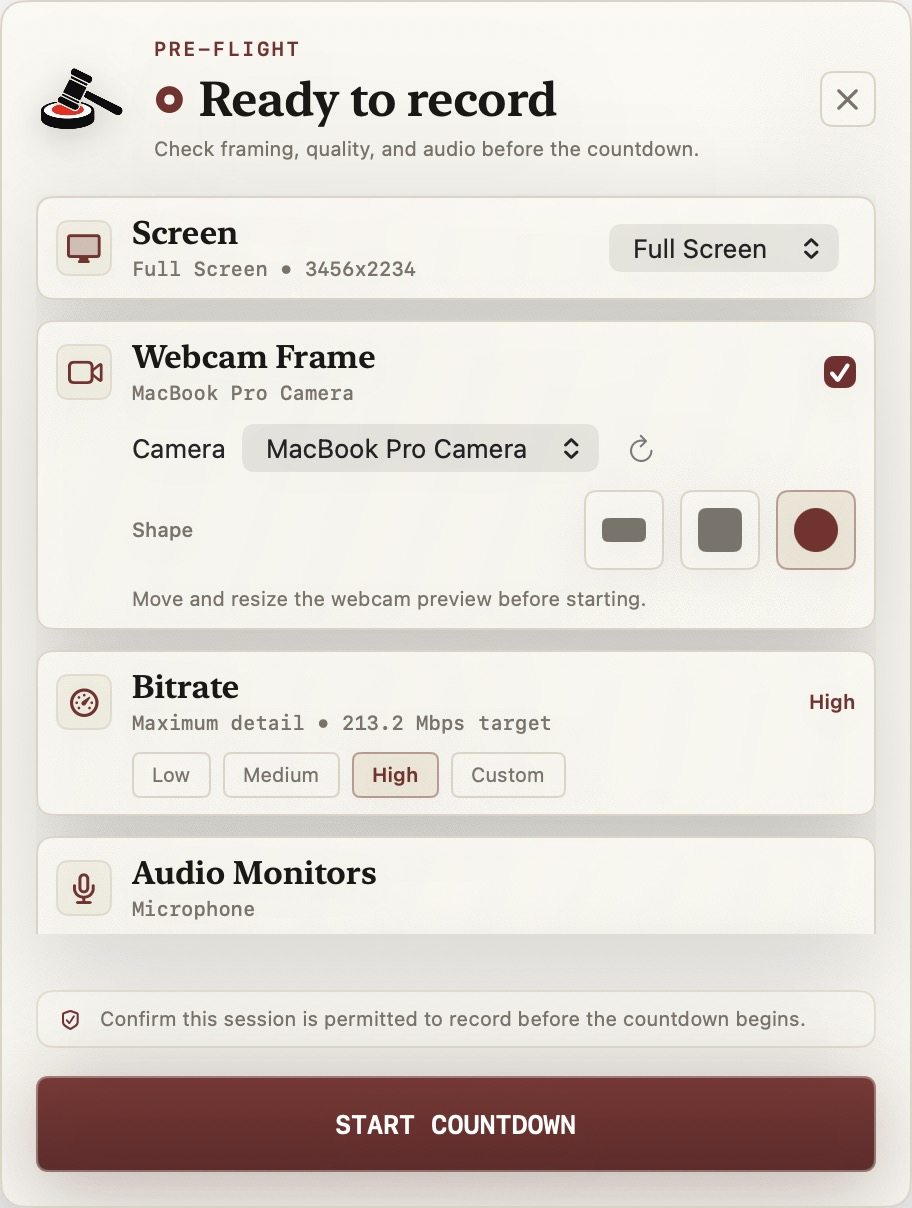
One panel for screen source, webcam framing, bitrate, and live audio monitors. Verify everything's right, confirm you have permission to record this session, then start the countdown.
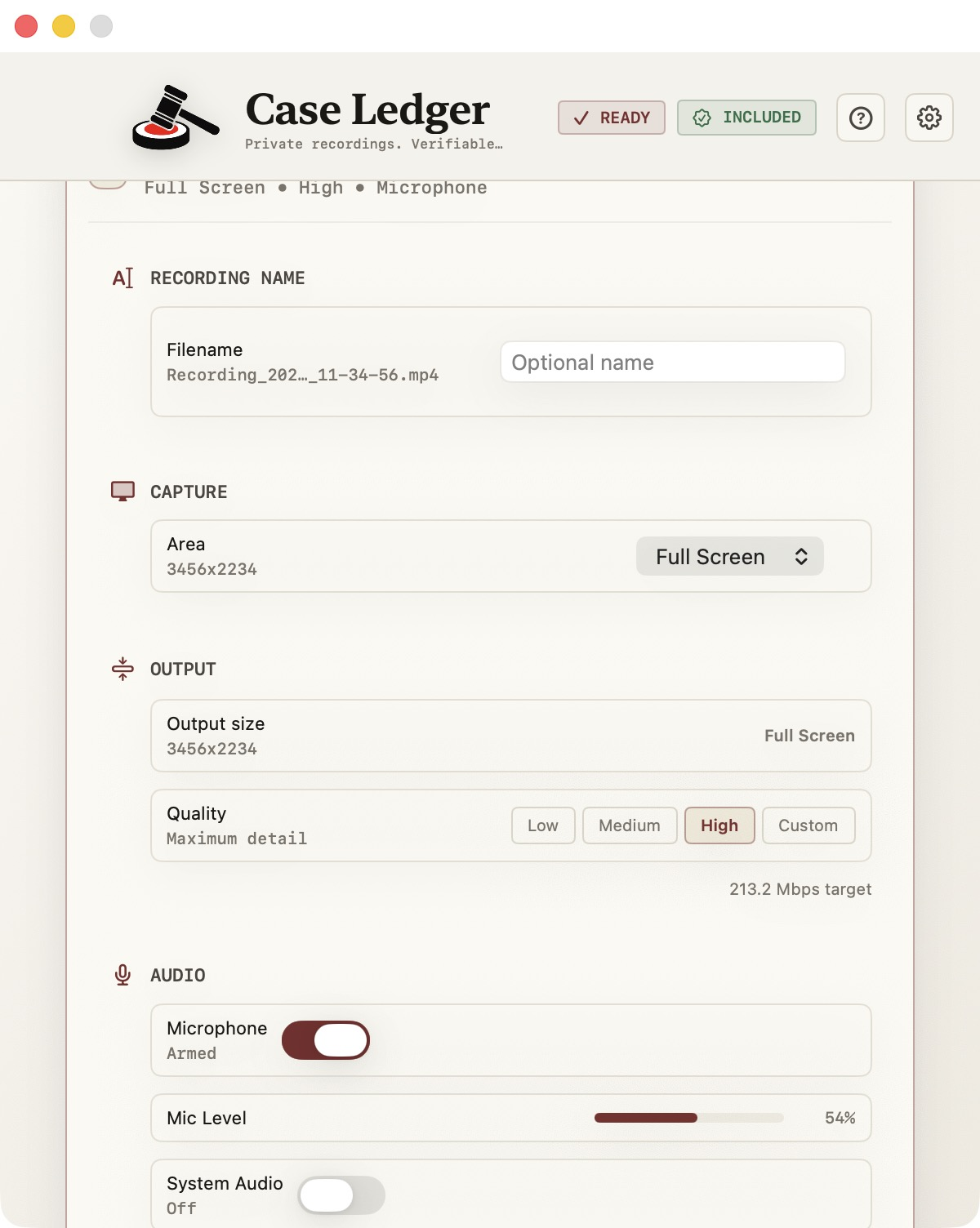
Recording name, capture area, output quality, and audio inputs — all visible at the same time. No dropdowns to dig through. Configure once, record cleanly.
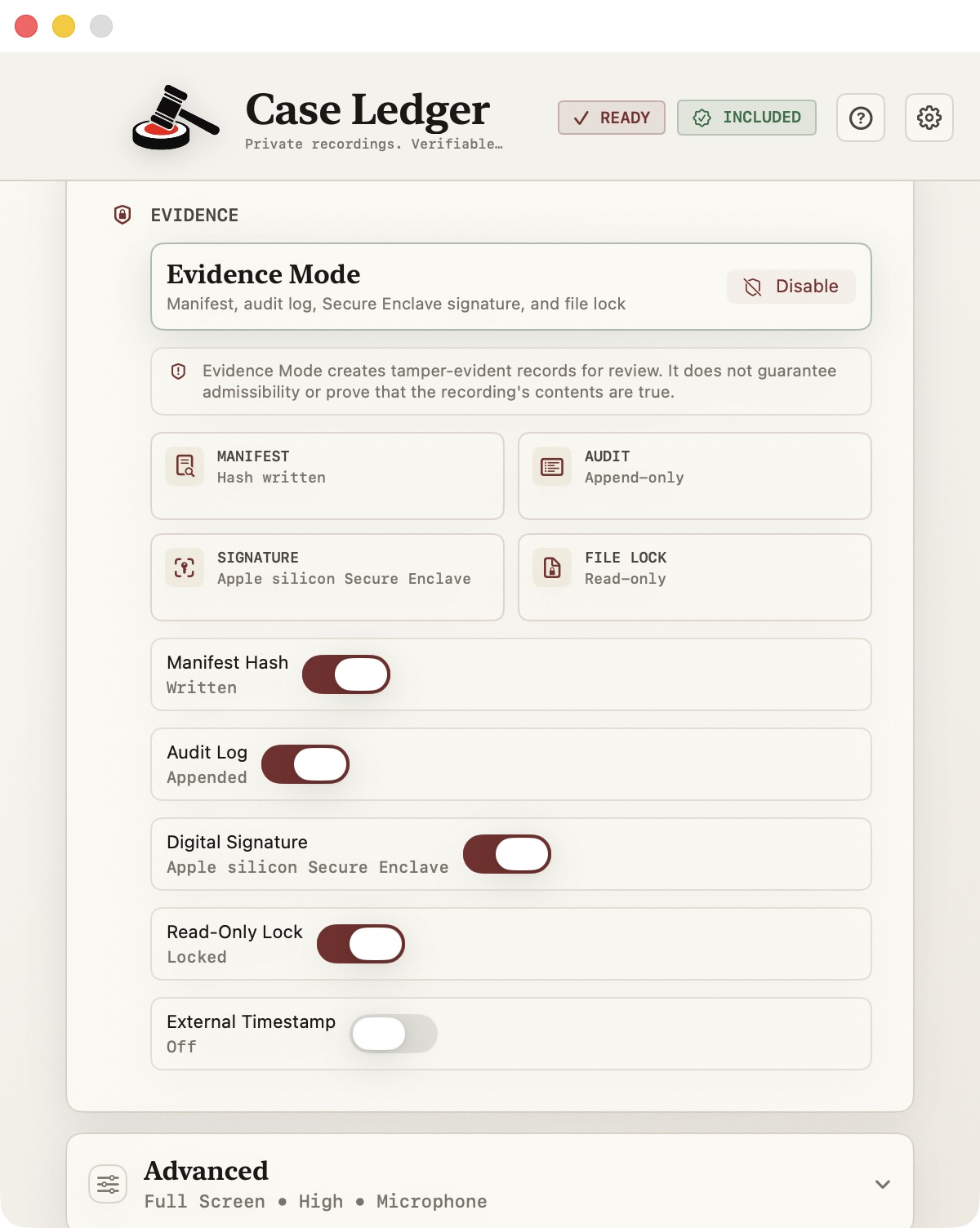
Manifest hash, append-only audit log, Secure Enclave signature, and read-only file lock. Toggle Evidence Mode on once and every capture from that point ships with the full set of tamper-evident artifacts.
For people who care that a recording is unmodified, locally stored, and independently verifiable — whether for legal work, internal investigations, compliance review, or technical incident documentation.
Document walkthroughs, prep sessions, exhibit reviews, witness coaching — recordings that need to be locally controlled.
Interview recordings, screen-shared evidence reviews, finding documentation — with a verifiable audit trail.
Procedure walkthroughs, training documentation, control reviews — without uploading sensitive screens to a vendor.
Bug captures, security incident screens, system state at a point in time — preserved with provenance metadata.
Pay once. Own it. Update for free for the lifetime of the major version.
Available now on the Mac App Store. The free Case Ledger Viewer for independent verification is coming soon.
On first launch, Case Ledger generates a signing key inside your Mac's Secure Enclave — the same hardware chip Apple uses for Touch ID and Apple Pay. The key is hardware-isolated and cannot be extracted, exported, or moved off the machine. Each recording manifest is signed with this key at the moment of capture. Anyone can verify a recording's signature; only your Mac can produce one. This is why Apple Silicon is required.
The Secure Enclave on Apple Silicon offers stronger key isolation than what's available on Intel Macs. We chose to build Case Ledger around the strongest hardware-backed signing available rather than ship a weaker version that would undermine the integrity story. If you're on an Intel Mac, the M-series MacBook Air starts at around $999 — or wait for v2, which we'll evaluate Intel support for once we see demand.
QuickTime records. Case Ledger records and produces a tamper-evident local evidence package for each capture — a signed manifest, hash chain, read-only original, and audit sidecar. If you never need to demonstrate that a recording is unmodified, QuickTime is fine. If you do, that is what Case Ledger is for.
No. Case Ledger does not guarantee admissibility. Whether any specific recording is admitted depends on the case, the jurisdiction, the rules of evidence, and the court. What Case Ledger does is produce a tamper-evident local evidence package — signed manifest, hash chain, read-only original, audit sidecar — that supports verification workflows. The legal call is yours to make.
14-day refund, no questions asked. Email and it's done.