Tamper-evident screen recording for solo and small-firm attorneys. Manifests signed in your Mac's Secure Enclave. Local-only. Built for confidentiality-sensitive work.
Loom, Zoom, and Vimeo upload your screen recordings to a third-party server. For privileged client work, that's an exposure most attorneys would rather avoid.
Record a client walkthrough, deposition prep, or exhibit review with a cloud-based tool. The file lives on a vendor's server — subject to subpoena, breach, and policies you don't control.
The recording never leaves your Mac. It's cryptographically signed at the moment of capture, locked read-only, and entered into a tamper-evident audit log you can produce on demand.
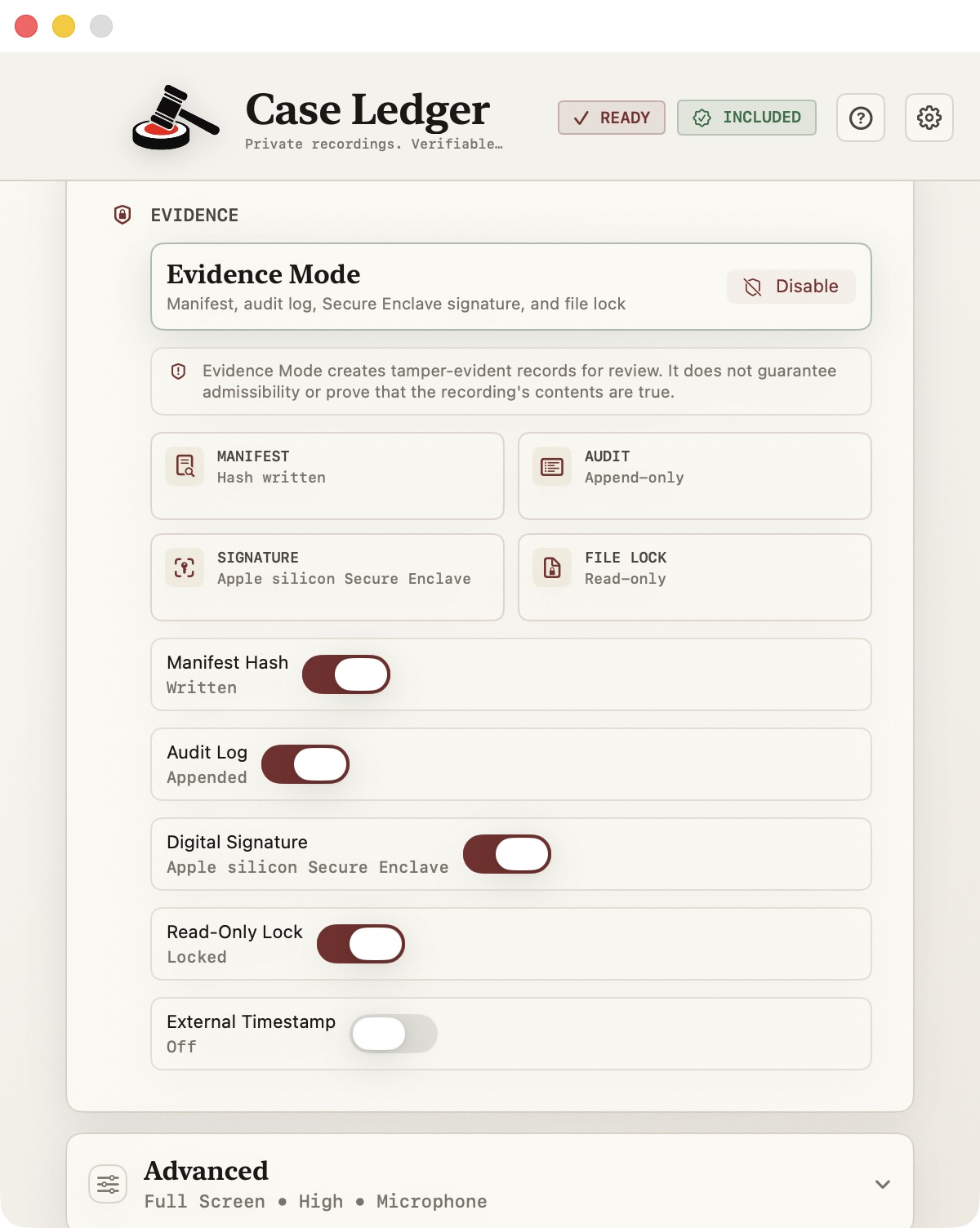
Toggle on Evidence Mode and every recording is captured under the same chain-of-custody protocol. No extra steps. No extra tools.
Every recording produces a JSON manifest with timestamp, duration, file hash, app version, and machine identifier. The full provenance, written to disk.
A tamper-evident ledger of every recording. Hash-chained entries make modifications detectable. Export the log as a PDF whenever you need it.
Each manifest is signed with a key generated and held in your Mac's Secure Enclave — the hardware-isolated chip Apple uses for Touch ID and Apple Pay. The key cannot be extracted, copied, or moved.
When recording stops, the file is locked at the filesystem level. The original cannot be edited — only viewed, copied, or referenced.
CaseLedger provides artifacts and design choices that support your compliance posture. It is not a substitute for legal advice, a Business Associate Agreement, or your firm's information governance policies. We do not make claims about admissibility — that's your judgment to make.
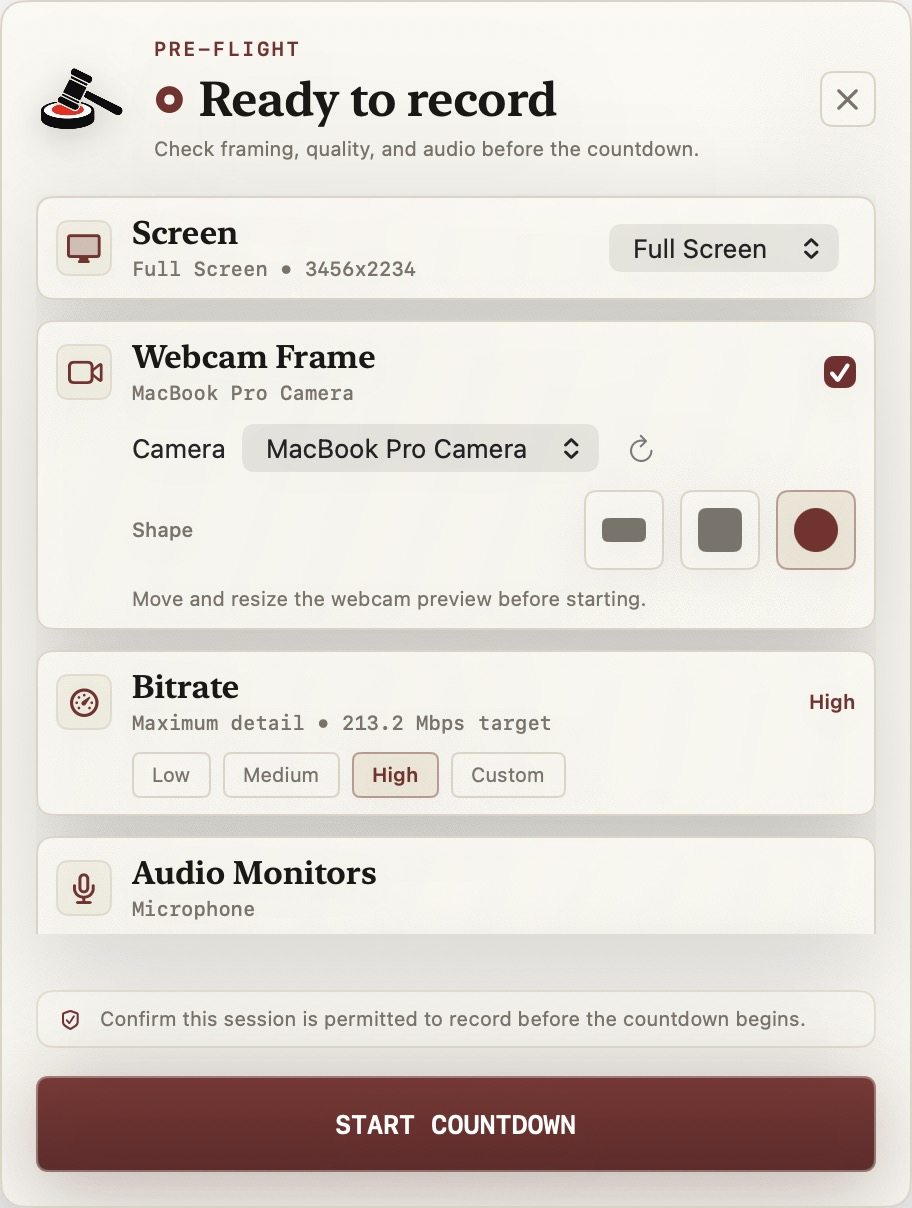
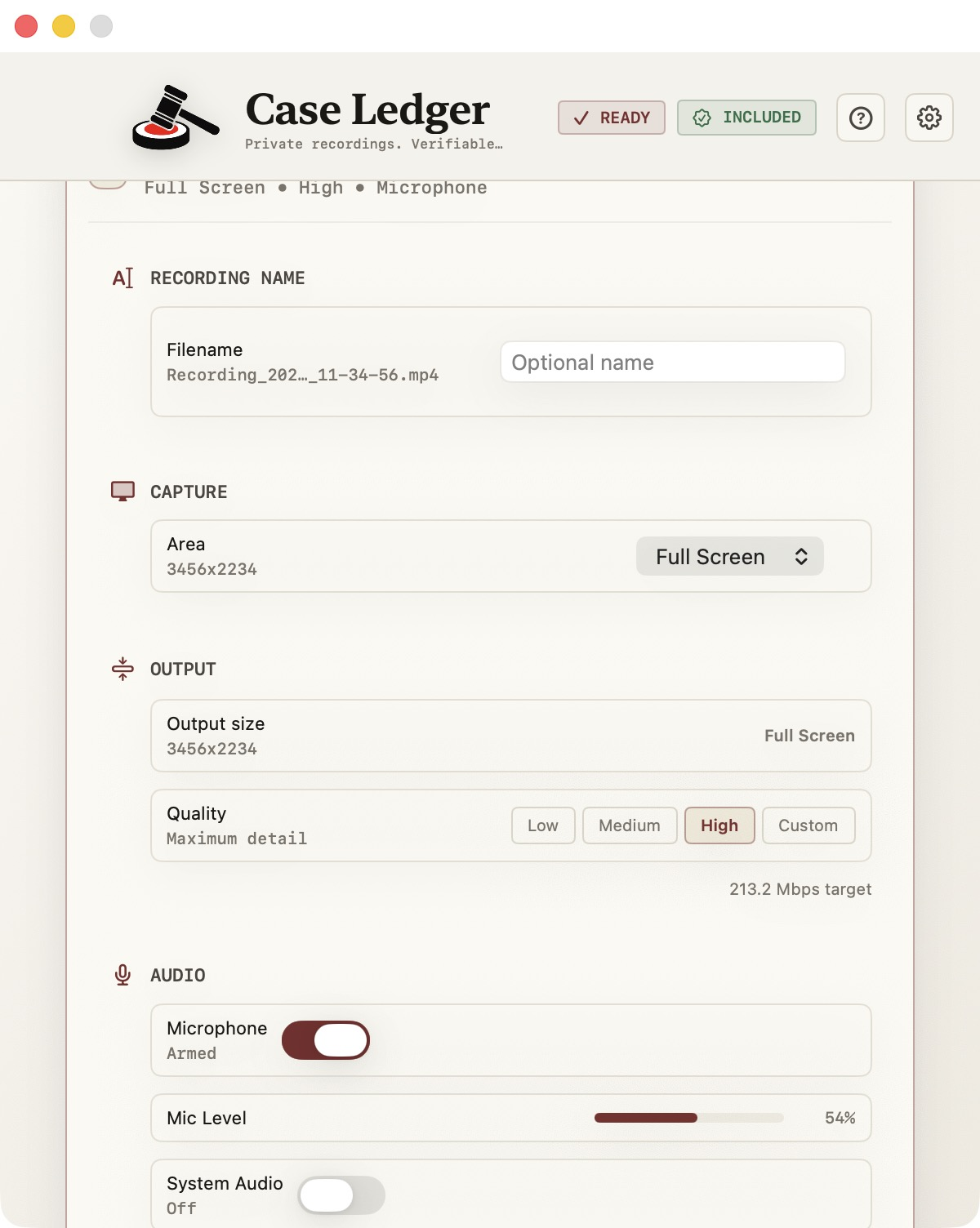
Source selection, audio levels, webcam overlay, and a single capture control. No setup wizard, no menus to dig through — click record and the chain of custody starts the moment the file does.
Manifest, audit log, Secure Enclave signing, read-only locking. Toggle them on once and every recording from that moment forward ships with full provenance baked in.
Every recording produces a signed JSON manifest with timestamps, file hash, and Secure Enclave signature — alongside the video file itself, locked read-only at the filesystem level.
The lawyer who makes their own software decisions and feels the privilege risk personally.
Recording document walkthroughs for clients — wills, trusts, settlements.
Deposition prep, witness coaching, exhibit walkthroughs — pure work product.
Case file reviews, evidence walkthroughs, sensitive client communication.
Prior art reviews, deal walkthroughs, contract explainers.
Pay once. Own it. Update for free for the lifetime of the major version.
HIPAA compliance is a function of your workflow, not any single tool. CaseLedger is local-only, never transmits recordings, and produces audit artifacts that support your compliance posture. We do not sign Business Associate Agreements — nothing leaves your Mac, so a BAA is not applicable.
Admissibility depends on the specifics of the case, the rules of the jurisdiction, and the discretion of the court. CaseLedger creates artifacts — signed manifests, hash chains, read-only originals — that support evidentiary foundations. The legal call is yours to make.
On first launch, CaseLedger generates a signing key inside your Mac's Secure Enclave — the same hardware chip Apple uses for Touch ID and Apple Pay. The key is hardware-isolated and cannot be extracted, exported, or moved off the machine. Each recording manifest is signed with this key at the moment of capture. Anyone can verify a recording's signature; only your Mac can produce one. This is why Apple Silicon is required.
The Secure Enclave on Apple Silicon offers stronger key isolation than what's available on Intel Macs. We chose to build CaseLedger around the strongest hardware-backed signing available rather than ship a weaker version that would undermine the integrity claims. If you're on an Intel Mac, the M-series MacBook Air starts at around $999 — or wait for v2, which we'll evaluate Intel support for once we see demand.
QuickTime records. CaseLedger records and produces a defensible chain-of-custody artifact for each capture. If you never need to demonstrate that a recording is authentic and unmodified, QuickTime is fine. If you do, that's the entire point of CaseLedger.
14-day refund, no questions asked. Email and it's done.